When it comes to project management software, Zoho Projects vs Monday.com often comes up in discussions among professionals seeking effective solutions. Both platforms boast exceptional features and capabilities that can enhance productivity and streamline workflows. However, determining which one is right for your specific needs requires a more in-depth look into their functionalities, user experience, pricing, integrations, and collaboration tools.
Zoho Projects vs. Monday.com: A Comprehensive Comparison
In the rapidly evolving world of project management software, businesses have a plethora of options. Both Zoho Projects and Monday.com are powerful contenders in this space, but they cater to different user preferences and business requirements. This section sets the stage for a side-by-side analysis of these two tools.
Introduction to Zoho Projects
Zoho Projects is part of the extensive Zoho Suite, which offers an array of business applications designed to meet varying organizational needs. Launched in 2006, Zoho Projects has established itself as a multifaceted project management tool that helps teams plan, collaborate, and execute tasks efficiently.
- What distinguishes Zoho Projects is its adaptability. It offers features such as Gantt charts, task tracking, and time management, with a focus on providing a smooth, integrated experience for users already within the Zoho ecosystem.
Overview of Monday.com
Monday.com, often referred to simply as “Monday”, presents a more visually-oriented approach to project management. This tool empowers teams to build their workflows in a highly customizable manner, making it suitable for a diverse range of industries.
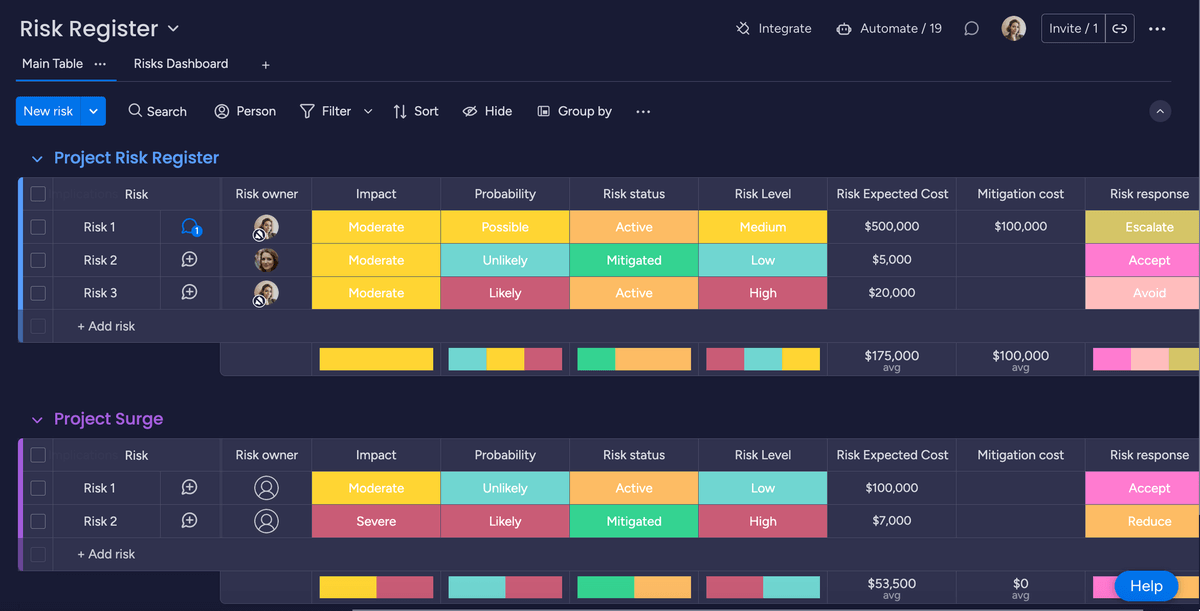
- Known for its colorful and engaging interface, Monday.com specializes in facilitating collaboration and allowing users to track projects via boards and timelines that can be tailored to meet the specific demands of a project.
Comparative Overview
While both Zoho Projects and Monday.com offer powerful functionalities, their core philosophies and user experiences differ significantly.
- Zoho Projects leans into the arena of sophistication and logical structure, making it a go-to tool for those needing a comprehensive project management suite.
- Monday.com, on the other hand, emphasizes visual project tracking and team collaboration, appealing more to users who prefer a more dynamic and aesthetically driven interface.
In the following sections, we will delve deeper into their key features, pricing models, user experience, integrations, collaboration functionalities, and data analytics, enabling a better understanding of which platform best suits your project management needs.
Key Features and Functionality: Zoho Projects and Monday.com
When choosing between Zoho Projects and Monday.com, understanding their key features is paramount. Each platform offers unique tools that can help you manage projects effectively.
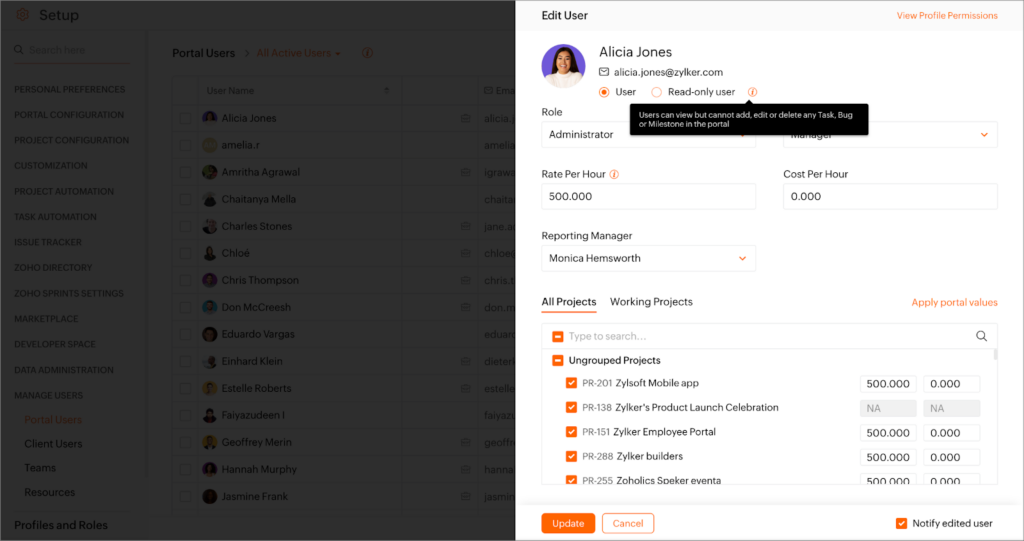
Zoho Projects Features
Zoho Projects provides a wide array of functionalities that cater to diverse project management needs. Some of its standout features include:
- Task Management: Create, assign, and prioritize tasks within projects to ensure everyone is on the same page. Use sub-tasks, dependencies, and milestones to maintain clear deadlines.
- Gantt Charts: Visualize project timelines with Gantt charts, allowing teams to see project progress, task dependencies, and overall schedules clearly.
- Time Tracking: Monitor time spent on tasks with built-in time tracking tools. This feature helps in resource allocation and increases accountability.
- Resource Management: Allocate resources efficiently by keeping track of team members’ workload and capacity, ensuring that no single team member is overscheduled.
Monday.com Features
Monday.com excels in providing a highly flexible framework for project management. Key features include:
- Customizable Boards: Users can build boards tailored to their specific workflow, allowing them to organize projects based on their unique requirements and processes.
- Status Tracking: Keep track of task status using visual indicators. This can include custom fields where users can select statuses like “In Progress”, “Done”, or custom labels that suit their workflow.
- Automated Workflows: Create automation to streamline repetitive tasks, such as sending reminders for pending assignments or updating statuses based on specific triggers.
- Integrations: Connect Monday.com with various apps and tools such as Slack, Google Drive, and others, further enhancing its productivity capabilities.
Comparative Functional Analysis
While both platforms contain robust project management features, subtle distinctions impact the user experience.
- User-Friendliness: Monday.com’s user interface is designed to be intuitive and colorful, making it friendly for users who enjoy interacting with a visual medium. Conversely, Zoho Projects, while functional, may require a steeper learning curve due to its more traditional layout.
- Collaboration Tools: In terms of collaboration, Monday.com’s approach is oriented around team connectivity through visual task management, while Zoho Projects places emphasis on tracking and managing task dependencies.
Considering your team’s preferences and the nature of projects at hand is essential when evaluating these functionalities.
Pricing and Plans: Which Platform Offers the Best Value?
When it comes to project management solutions, pricing can be a significant deciding factor. Understanding what both Zoho Projects and Monday.com bring to the table can help stakeholders make informed decisions.
Zoho Projects Pricing Plans
Zoho Projects offers a range of pricing tiers that provide various levels of access to its features. Here’s a brief overview:
- Free Plan: Ideal for small teams or startups, this plan allows up to three users and includes basic project management features such as task creation and Gantt chart functionality.
- Standard Plan: Costs around $5 per user/month. It expands team size to 10 users and adds advanced features like invoicing, time tracking, and resource management.
- Professional Plan: Priced around $10 per user/month, this plan accommodates up to 100 users and includes enhanced project management tools and reporting functionalities.
- Enterprise Plan: This custom solution is best for larger organizations needing specialized features and administrative controls.
Monday.com Pricing Plans
Monday.com operates on a subscription-based model with four main pricing tiers:
- Individual Plan: Free for up to 2 users, ideal for individuals managing personal tasks or small projects.
- Basic Plan: Around $8 per user/month, suitable for small teams, allowing up to 5 boards and basic project dashboard functionalities.
- Standard Plan: Approximately $10 per user/month, offering a greater number of boards, timeline views, and integrations which enhance usability for larger projects.
- Pro Plan: Costs about $16 per user/month and comes with advanced features such as time tracking, viewer permissions, and timeline views.
Value Proposition Analysis
Assessing the value of each platform goes beyond just price.
- Cost-Effectiveness: If you have a small team or are just starting, Zoho Projects may offer better value with its free and affordable plans. It particularly caters to users deeply embedded in the Zoho ecosystem.
- Scalability: On the flip side, Monday.com’s flexible plans accommodate diverse team sizes and usage styles, making it more adaptable in rapidly changing project environments.
As with any service, choosing the most appropriate platform comes down to analyzing the specific needs of your projects in relation to your budgetary constraints.
User Interface and Experience: Ease of Use and Navigation
User experience can greatly influence productivity, making it important to evaluate how each tool presents itself to users. The interface design, navigation as well as ease of use for both Zoho Projects and Monday.com can affect adoption rates and overall efficiency.
User Interface of Zoho Projects
Zoho Projects boasts a straightforward and functional interface, though it may feel a bit rigid for some users.
- Dashboard Overview: The main dashboard provides a snapshot of all active projects, allowing users to quickly assess progress in terms of task completion.
- Navigation Structure: On the left sidebar, you’ll find a clean categorization of projects, allowing for easy navigation between different sections, such as tasks, messages, forums, and more.
- Feature Accessibility: Users can access all vital features without excessive clicking, resulting in a structured workflow and efficient time management.
User Interface of Monday.com
Monday.com has made a name for itself with its visually appealing and lively interface that aims to enhance user engagement.
- Color-Coded Boards: The use of colors to signify different statuses and task types brings vibrancy to project management.
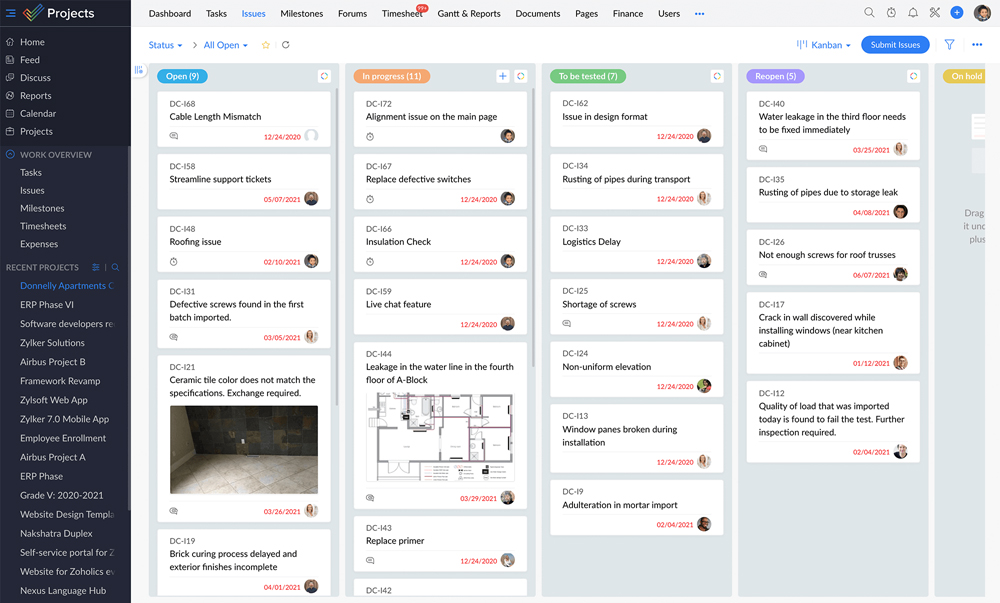
- Custom Views: Users can switch between views like Gantt charts, Kanban boards, or timelines—offering a personalized experience that accommodates different visualization preferences.
- Intuitive Navigation: The platform’s intuitive design enables users to easily create new boards and fields, facilitating quick adoption for newcomers while maintaining an effective workflow for veteran users.
User Experience Comparisons
Navigating through either platform can create an entirely different experience.
- Adaptability: With its structured interface, Zoho Projects may appeal to users who appreciate order and clarity. Meanwhile, Monday.com thrives on visual customization, making it an excellent choice for more artistic teams and those who prefer a more engaging interaction with their projects.
- Accessibility for Teams: If you operate a creative or fast-paced team, Monday.com’s lively interface may provide a higher level of engagement and motivation. In contrast, teams seeking clarity in project management may prefer Zoho Projects’ straightforward approach.
Understanding the specific preferences of team members and their working styles can be crucial when selecting the best interface for your organization.
Integrations and API: Connecting with Your Existing Tools
Integration capabilities are a crucial aspect of project management tools. Both Zoho Projects and Monday.com allow for connections with other applications, enhancing overall functionality.
Zoho Projects Integrations
One of the remarkable strengths of Zoho Projects is its extensive integration options with other Zoho suite applications and third-party tools.
- Native Integrations: As part of the Zoho ecosystem, this platform seamlessly integrates with all other Zoho products, from Zoho CRM and Zoho Mail to Zoho Analytics, thus providing a comprehensive business solution.
- Third-party Connectors: Zoho Projects supports numerous integrations, including popular tools like Slack, Google Drive, and Dropbox, ensuring that project teams remain connected across their preferred applications.
- API Accessibility: With a robust API, Zoho Projects allows tech-savvy users to develop customized solutions tailored specifically to their organizational needs.
Monday.com Integrations
Monday.com thrives on its integrations, which play a critical role in its lure.
- Wide Range of Connectors: The platform links with a multitude of applications, including Slack, Trello, Dropbox, and Microsoft Teams, catering to diverse project management environments.
- Zapier Compatibility: Integration capabilities extend further through Zapier, allowing users to connect Monday.com with over 2,000 third-party applications, enhancing automation processes substantially.
- API Support: For developers, Monday.com provides an open API that allows for uploading and pulling data from the platform seamlessly, offering further customization options.
Integration Effectiveness Assessment
Integration plays a pivotal role in ensuring seamless project management.
- Holistic Connectivity: If you’re operating within the Zoho ecosystem, Zoho Projects will naturally feel more connected. The ability to integrate other Zoho applications is an added advantage for users who utilize multiple Zoho tools.
- Flexibility and Automation: On the contrary, Monday.com’s vast array of integrations, particularly with a third-party tool like Zapier, makes it incredibly flexible for users who require diverse workflows.
Selecting the right project management solution often requires considering how well the tool integrates with your existing stack of applications and how it enhances your team’s workflow.
Collaboration and Communication: Facilitating Teamwork
Effective collaboration is the cornerstone of any successful project management tool. Both Zoho Projects and Monday.com prioritize communication capabilities, but they approach it differently.
Collaboration Features in Zoho Projects
Zoho Projects offers several tools meant to foster team collaboration and enhance communication flow.
- Built-in Communication Tools: The platform includes features such as forums and chat options for team discussions within the project context, promoting open dialogue.
- Document Sharing: Users can upload relevant documents directly within the project space, making it accessible to team members and ensuring everyone is on the same page.
- Notifications and Updates: Users can set notifications to keep track of team activities and task updates, thus allowing everyone to stay informed about project progress.
Collaboration Features in Monday.com
Monday.com offers engaging collaborative features that emphasize dynamic communication among team members.
- Visual Collaboration Tools: Boards and task assignments contain comment sections that enable team members to leave notes or tag teammates, making discussions easily accessible.
- Updates Section: Each item can also have an updates section, where project participants can offer feedback or share relevant details related to tasks.
- Real-Time Collaboration: Monday.com’s real-time updates facilitate immediate interactions among team members, allowing swift adjustments to be made without needing to wait for emails or long threads.
Comparative Collaboration Analysis
When it comes to collaboration capabilities, the focus often switches towards how well each platform engages users.
- Community Communication: Zoho Projects’ emphasis on forums and integrated chat may work best for teams that prefer structured discussion threads. Conversely, Monday.com’s visual and dynamic communications fit more fluid team environments that thrive on spontaneous interactions.
- User Engagement: The method of interaction can significantly impact team morale. A more vibrant and engaging collaboration environment, as promoted by Monday.com, may increase user motivation and creativity compared to the utilitarian approach taken by Zoho Projects.
Ultimately, the ideal project management tool will be one that aligns with how your team communicates best and suits the nature of the projects you manage.
Reporting and Analytics: Tracking Progress and Performance
Reporting and analytics capabilities allow project managers to gauge performance and productivity effectively. Both Zoho Projects and Monday.com strive to offer insightful features to help teams track their progress.
Reporting Features in Zoho Projects
Zoho Projects provides robust reporting tools, especially beneficial for tracking project health.
- Custom Reports: Users can generate customizable reports that provide insights into various parameters such as task progress, time spent, and resource utilization.
- Gantt Chart Visualization: Utilizing Gantt charts effectively enables project managers to track timelines and identify bottlenecks in real-time, thus facilitating proactive adjustments.
- Timesheet Reports: The built-in timesheet features help generate detailed reports showcasing time allocation for tasks and project phases, thus making resource management easier.
Reporting Features in Monday.com
Monday.com presents its own set of analytical tools, geared towards engaging users visually.
- Dashboards: Customizable dashboards provide real-time updates and visual interpretations of project data, thus making performance tracking intuitive.
- 9 different data views: A variety of data visualization options, including charts, graphs, and timelines, makes it easy to spot patterns and performance trends.
- Formulas and Automations: Users can create automated alerts that trigger based on specific metrics such as task completion rates or overdue assignments, providing timely insights into project health.
Comparative Reporting Analysis
Selecting a project management tool with strong reporting functionalities supports informed decision-making.
- Custom Reporting Needs: While each platform offers unique presentation formats, Zoho Projects excels in its depth of custom reporting. This feature is particularly useful for organizations needing granular technological insights.
- Visual Understanding: Conversely, Monday.com’s vibrant dashboards provide an accessible way to view data, attracting teams that prefer visual over textual data representations.
The ability to analyze data effectively is vital for driving project success and making informed adjustments as projects progress.
Verdict: Choosing the Right Project Management Solution for Your Needs
In this exhaustive analysis of Zoho Projects vs Monday.com, we have covered an array of critical aspects relevant to project management software.
Final Reflection
Both Zoho Projects and Monday.com are highly capable tools, offering a plethora of functionalities tailored to distinct project management needs and team dynamics. The decision to choose between them ultimately hinges on factors like the size of your team, the type of projects you manage, your budgetary constraints, and the workspace culture of your organization.
If your team prioritizes structured project management with deep integrations into the Zoho ecosystem, Zoho Projects emerges as a compelling choice. Conversely, if user engagement through vibrant, visual layouts coupled with dynamic collaboration tools is paramount, Monday.com would likely better suit your team’s needs.
Understanding the unique selling propositions of each platform can help you align your project management approach with organizational goals, enhancing efficiency and productivity throughout your projects.
Conclusion
Choosing between Zoho Projects and Monday.com hinges upon analyzing their core functionalities, pricing models, user experience, integrations, collaboration tools, and reporting capabilities. Ultimately, the optimal solution aligns with your team’s preferences and project requirements, paving the way for effective project management and successful outcomes.

