
In the world of project management tools, two contenders stand out – Smartsheet vs Monday.com. Both platforms offer robust features and capabilities that cater to various team dynamics and organizational needs. Choosing between them can significantly impact your team’s efficiency and productivity. In this comprehensive comparison, we will explore their unique features, pricing plans, use cases, collaboration tools, integration options, user interface, and ultimately help you make an informed decision about which platform is best for your workflow.
Smartsheet vs. Monday.com: A Comprehensive Comparison

When it comes to managing projects, teams need a reliable tool that not only helps them track progress but also fosters collaboration and communication. Smartsheet and Monday.com are two popular solutions that have garnered attention for their versatility and user-friendly interfaces.
This section delves into the key differences and similarities between these two platforms, providing a foundational understanding that will guide your decision-making process as you evaluate Smartsheet vs Monday.com for your organization.
Overview of Smartsheet
Smartsheet is a cloud-based platform designed for work management and automation. It allows users to create spreadsheets that are enhanced with project management features, making it suitable for both simple task tracking and complex project planning. Its flexibility enables teams from various industries to collaborate effectively while maintaining visibility into ongoing projects.
From Gantt charts to Kanban boards, Smartsheet offers a diverse range of views that cater to different project management styles. Additionally, its powerful automation features help streamline repetitive tasks, enabling teams to focus on what matters most.
Overview of Monday.com
Monday.com, on the other hand, is a visually appealing and intuitive project management tool that aims to simplify workflows. It is designed for teams looking for a more interactive experience with customizable dashboards that present information in easy-to-digest formats. This platform places a strong emphasis on flexibility, allowing users to tailor their boards to fit their specific processes.
With a variety of templates available, Monday.com suits teams ranging from marketing to software development, helping streamline operations and enhance productivity through its collaborative features.
Key Differences Between Smartsheet and Monday.com
As you begin to evaluate the two platforms, it’s essential to identify their distinct characteristics. Here are some fundamental differences:
- Interface Design: While Smartsheet takes a spreadsheet-like approach, Monday.com uses vibrant colors and visual elements to deliver an engaging user experience.
- Features and Functionality: Smartsheet focuses heavily on enhancing traditional project management methods with its sheet-like structure, whereas Monday.com emphasizes customization and visual adaptability.
- Pricing Structure: The pricing models differ significantly, with Smartsheet typically appealing to larger organizations needing advanced features, while Monday.com targets a broader audience with flexible pricing tiers.
Understanding these distinctions will set the stage for a deeper exploration of their respective features and offerings.
Feature-by-Feature Breakdown: Smartsheet and Monday.com
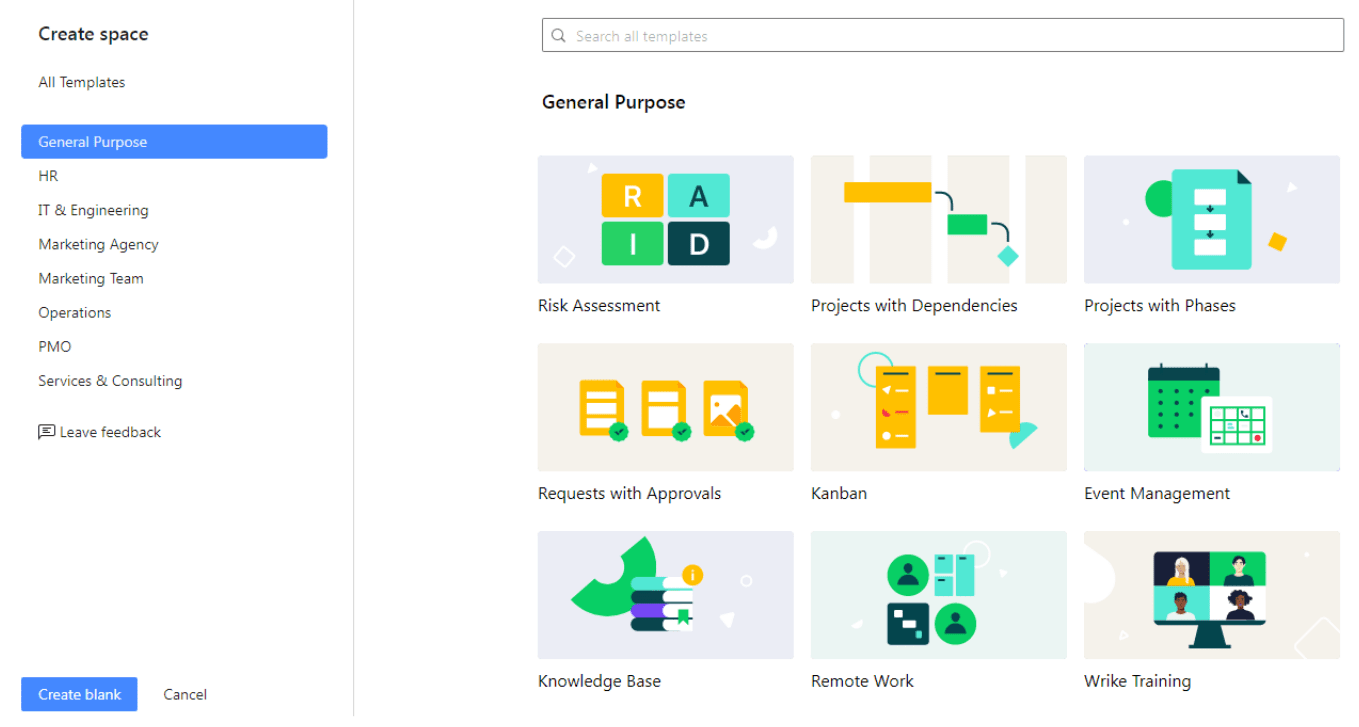
Now that we’ve established a foundational overview, it’s time to dive deeper into a feature-by-feature analysis of Smartsheet vs Monday.com. This section will provide a detailed comparison of the core functionalities each platform has to offer.
Project Planning and Scheduling
Both Smartsheet and Monday.com excel in project planning and scheduling, but they do so in different ways.
Gantt Charts in Smartsheet
One of Smartsheet’s standout features is its Gantt chart functionality. Users can visualize project timelines easily, making it simple to understand task dependencies and critical paths.
- You can quickly drag and drop tasks to adjust schedules, which is especially useful when dealing with shifting deadlines.
- Users can also set milestones and track progress against those benchmarks, giving teams insight into project health.
- This visual representation aids in communicating timelines to stakeholders, ensuring everyone stays on the same page.
Timeline and Calendar View in Monday.com
In contrast, Monday.com provides a visually organized timeline view that allows teams to manage their tasks with ease.
- The timeline view is highly customizable, enabling teams to adapt it to their workflow.
- Calendar integrations allow users to see tasks scheduled across different timeframes, providing a holistic view of project timelines.
- Additionally, teams can assign priorities based on deadlines, further improving task management.
While both platforms offer robust planning tools, Smartsheet’s Gantt-focused approach may resonate with users who are accustomed to traditional project management methodologies. On the other hand, Monday.com’s timeline view caters to those who prefer a modern, visual layout.
Collaboration Tools
Collaboration is crucial for any successful project management tool. Let’s explore how Smartsheet and Monday.com facilitate team engagement and communication.
Comments and Updates in Smartsheet
Smartsheet offers a built-in comments section for each task, allowing team members to share feedback and updates directly within the context of the work.
- This feature helps maintain clear communication while keeping discussions relevant to specific tasks.
- Users can also receive notifications when changes are made or comments are added, ensuring they stay informed about project developments.
- Additionally, version history allows teams to track changes over time, providing transparency and accountability.
Communication Features in Monday.com
Monday.com elevates collaboration with real-time updates and integrated communication tools.
- Team members can tag each other in comments, fostering quick conversations around specific tasks and eliminating email overload.
- The platform also supports file attachments, so important documents can be shared directly within the task, preventing information silos.
- Furthermore, the activity log provides a real-time feed of project updates, ensuring everyone is aware of recent changes without having to dig through lengthy emails.
Both platforms succeed in fostering collaboration, but Monday.com’s emphasis on real-time communication may be better suited for teams that thrive in an interactive environment.
Task Management
Effective task management is at the heart of any project management solution. Here’s how Smartsheet vs Monday.com compare in this area.
Task Assignment and Tracking in Smartsheet
Smartsheet allows users to easily assign tasks and track their status.
- Users can view task assignments via a centralized dashboard, which makes it easier to oversee workloads across the team.
- Additionally, subtasks can be created and assigned to different team members, facilitating more granular accountability.
- Progress tracking indicators provide instant visibility into task completion rates, empowering teams to identify bottlenecks early.
Custom Workflows in Monday.com
In Monday.com, task management is streamlined through customizable workflows.
- Users can create boards that represent their specific processes, adapting the platform to fit their unique needs.
- Automation features eliminate repetitive tasks by streamlining routine actions, such as moving items between columns based on status changes.
- With multiple views available (list, kanban, calendar), teams can choose the visualization style that works best for their workflow, enhancing productivity.
The choice between Smartsheet and Monday.com in task management largely depends on whether your team prefers a structured approach or a more flexible, adaptable system.
Pricing and Plans: Which Platform Offers the Best Value?
Understanding the pricing structures of Smartsheet and Monday.com is crucial for businesses seeking the best value for their investment. In this section, we’ll break down the costs associated with both platforms and help you weigh the pros and cons of each.
Smartsheet Pricing Tiers
Smartsheet offers several subscription models tailored to varying organizational needs.
- The Individual plan is ideal for solo users focusing on personal projects, while the Business and Enterprise plans cater to teams requiring advanced features and support.
- Pricing is typically based on the number of users, with discounts available for annual contracts.
- Key features at higher tiers include enhanced reporting capabilities, resource management tools, and more extensive integrations.
It’s worth noting that while Smartsheet might be pricier than some competitors, the depth of features offered often justifies the cost, particularly for larger organizations with complex project management needs.
Monday.com Pricing Options
Monday.com presents a straightforward pricing model, with four tiers designed for different types of users.
- Individual plans are free, providing access to limited features, while the Basic, Standard, and Pro plans cater to teams looking to unlock additional functionalities.
- Pricing is based on the number of users, with all plans offering unlimited boards and a host of integrations.
- Each tier progressively adds features such as timeline views, automation, guest access, and advanced reporting, making it easier for users to find a plan that suits their requirements.
In terms of overall value, Monday.com appeals to a wider audience, particularly small to mid-sized teams, due to its flexible pricing structure and comprehensive features across all tiers.
Cost-Benefit Analysis
When comparing Smartsheet vs Monday.com, it’s essential to consider the return on investment each platform offers.
- For organizations with complex project management needs, Smartsheet’s robust features may lead to improved efficiency that justifies the higher cost.
- Conversely, teams looking for a user-friendly tool with solid capabilities might find Monday.com to be a more budget-friendly option, especially if they can leverage its collaboration features effectively.
Ultimately, the decision should factor in your team’s size, project complexity, and budget constraints to determine which platform offers the best overall value.
Use Case Scenarios: Identifying the Ideal Tool for Your Workflow
Different teams have unique workflows and project requirements, making it crucial to align the right project management tool with your organization’s needs. This section explores various use case scenarios to help you identify whether Smartsheet vs Monday.com is the best fit for your workflow.
Use Case 1: Traditional Project Management for Large Teams
For organizations that utilize traditional project management methodologies, such as Waterfall, Smartsheet may be the superior choice.
- Its Gantt chart functionality aligns with linear project timelines, enabling teams to plan and execute complex projects systematically.
- The ability to manage cross-departmental collaborations effectively enhances transparency and accountability in large teams.
- With advanced reporting features, project managers can generate insights that help steer strategic decisions based on data-driven metrics.
Use Case 2: Agile Development and Product Management
In fast-paced environments like software development where agility is paramount, Monday.com shines.
- Teams can customize their boards to reflect agile methodologies—like Scrum or Kanban—adapting their workflows according to sprints and backlogs.
- Real-time updates ensure that everyone is aligned on current priorities, allowing teams to pivot quickly when necessary.
- Its user-friendly interface minimizes onboarding time, enabling new team members to acclimate rapidly and contribute right away.
Use Case 3: Marketing Campaigns and Cross-Functional Projects
Marketing teams often juggle multiple campaigns simultaneously, necessitating a tool that can handle intricate planning and collaboration.
- Monday.com excels in this scenario due to its visual layout and plethora of templates designed specifically for marketing workflows.
- The ability to create customized boards that encompass creative tasks, deadlines, and performance metrics ensures that campaigns remain on track.
- Furthermore, built-in communication tools foster seamless collaboration among team members, ensuring timely feedback on creative assets.
Use Case 4: Event Planning and Management
For event planners coordinating various aspects of an event, both Smartsheet and Monday.com offer useful features.
- Smartsheet’s project plan templates facilitate comprehensive timelines that capture all aspects of event execution—from logistics to vendor management.
- In contrast, Monday.com’s customizable workflows allow teams to adapt boards based on specific events, tailoring their task management to fit varied needs seamlessly.
Depending on your industry, team size, and project nature, each platform has unique strengths that can meet your specific demands effectively.
Collaboration and Communication: Comparing Team Engagement Features
Effective collaboration lies at the heart of project success. This section compares the collaboration and communication features of Smartsheet and Monday.com to help you evaluate their capabilities thoroughly.
Collaboration Features in Smartsheet
Smartsheet promotes collaboration through various features that keep teams connected.
- The comments section on each task enables team members to engage in focused discussions, minimizing the risk of information overload.
- Notification settings allow users to receive alerts regarding task updates, comments, or changes, ensuring prompt responses to inquiries.
- Smartsheet also offers the ability to share sheets with external stakeholders, promoting transparency and collaboration beyond internal teams.
Collaborative Capabilities in Monday.com
Monday.com takes collaboration to the next level with its real-time updates and integrated communication tools.
- Users can tag team members in comments, encouraging direct conversations around specific tasks and promoting clarity in communication.
- The activity log provides a live feed of board changes, ensuring that everyone remains informed about project developments in real-time.
- Additionally, file attachment capabilities within tasks prevent important documents from becoming lost in lengthy email threads, enhancing accessibility.
Both platforms emphasize collaboration, but Monday.com’s real-time updates and interactive features may foster stronger team engagement and responsiveness.
Integration Capabilities: Extending Functionality with Third-Party Apps
Integrations play a critical role in expanding the functionality of project management tools. In this section, we’ll examine how Smartsheet vs Monday.com perform in terms of integration capabilities.
Integration Options for Smartsheet
Smartsheet boasts a wide array of integration capabilities, enabling users to connect with various third-party applications that streamline workflows.
- Popular integrations include Google Workspace, Microsoft Office 365, Jira, and Salesforce, allowing teams to sync data across platforms effortlessly.
- The Smartsheet API also opens doors for custom integrations, empowering organizations to tailor the tool to fit their specific needs.
- Furthermore, users can automate repetitive tasks using Zapier integrations, reducing manual effort and enhancing productivity.
Integration Features in Monday.com
Monday.com similarly offers numerous integrations that expand its functionality beyond basic project management.
- The platform connects with tools such as Slack, Zoom, Google Drive, and Trello, allowing teams to create a cohesive ecosystem for their workflows.
- In addition to standard integrations, Monday.com provides automation features that empower users to automate routine tasks and notifications, improving overall efficiency.
- The use of APIs supports custom integrations, enabling organizations to build unique solutions that meet their specific requirements.
Both platforms provide ample integration options, but the choice may depend on which existing tools your organization relies on most heavily.
User Interface and Experience: Evaluating Ease of Use and Accessibility
The user interface and experience can significantly influence how effectively teams adopt and utilize project management tools. In this section, we’ll assess the usability of Smartsheet vs Monday.com based on their design principles and user feedback.
User-Friendly Design in Smartsheet
Smartsheet’s interface echoes traditional spreadsheet layouts, which can be advantageous for users familiar with this format.
- The familiar grid-style layout allows for easy navigation and offers a sense of comfort for seasoned spreadsheet users.
- However, the dense information presented in a tabular format may overwhelm new users or those less experienced with spreadsheets.
- Despite this potential learning curve, Smartsheet provides resources, tutorials, and support to help users acclimate and navigate the platform effectively.
Intuitive Experience in Monday.com
Conversely, Monday.com is recognized for its vibrant and intuitive design, making it accessible to users of all experience levels.
- The visually engaging layout featuring colorful boards, icons, and easy-to-read labels fosters an inviting user experience, encouraging team members to explore the tool.
- The drag-and-drop functionality offers a simplified way to organize tasks, enhancing usability and adaptability for users who may not be tech-savvy.
- Comprehensive onboarding resources, including tutorials and templates, further assist new users in getting up to speed quickly.
Overall, Monday.com stands out for its user-friendly design, which may contribute to quicker adoption rates among teams.
Making the Right Choice: A Final Verdict on Smartsheet vs. Monday.com
After exploring the features, pricing, use cases, collaboration tools, integration capabilities, and user experiences of both platforms, it’s time to summarize the findings and offer recommendations on making the right choice between Smartsheet vs Monday.com.
When to Choose Smartsheet
If your organization operates within a traditional project management framework and requires advanced features for reporting, resource management, and complex project tracking, then Smartsheet is likely the better choice.
- Its Gantt charts and spreadsheet-like structure provide familiarity for teams accustomed to conventional project management methodologies.
- Larger teams or organizations with intricate project demands will benefit from Smartsheet’s depth of functionality and reporting capabilities.
On the other hand, if your team values a visually appealing, user-friendly interface and prioritizes adaptability and collaboration, Monday.com is the ideal solution.
- Its customizable workflows and real-time updates cater to dynamic teams that require flexibility and rapid adjustments.
- Smaller teams or organizations looking for a budget-friendly solution with strong collaboration features may find great value in Monday.com.
In conclusion, both platforms are powerful tools that can drive project success but addressing your team’s specific needs is vital in determining which one is best suited for your workflow.
Conclusion
Choosing between Smartsheet vs Monday.com ultimately boils down to understanding your team’s dynamics, workflows, and preferences. Both platforms offer unique strengths that cater to various project management styles, whether you’re following traditional methodologies or embracing agile methods.
By carefully evaluating the features, pricing, use cases, collaboration tools, integration capabilities, and user experiences outlined in this comprehensive comparison, you can confidently select the platform that aligns with your organization’s goals and fosters effective collaboration, ultimately leading to project success.

